The read, on the page you already trade from.
PumpPill Lens puts our risk read beside the tokens on your screen and opens the full read where you are. Tap Buy and the contract opens in the trade bot, already loaded.
Open to everyone. No account needed to read a token.
Open the bot in Telegram


Point at a mark and the read opens. Real captures of Lens, taken 1 October.
How it works
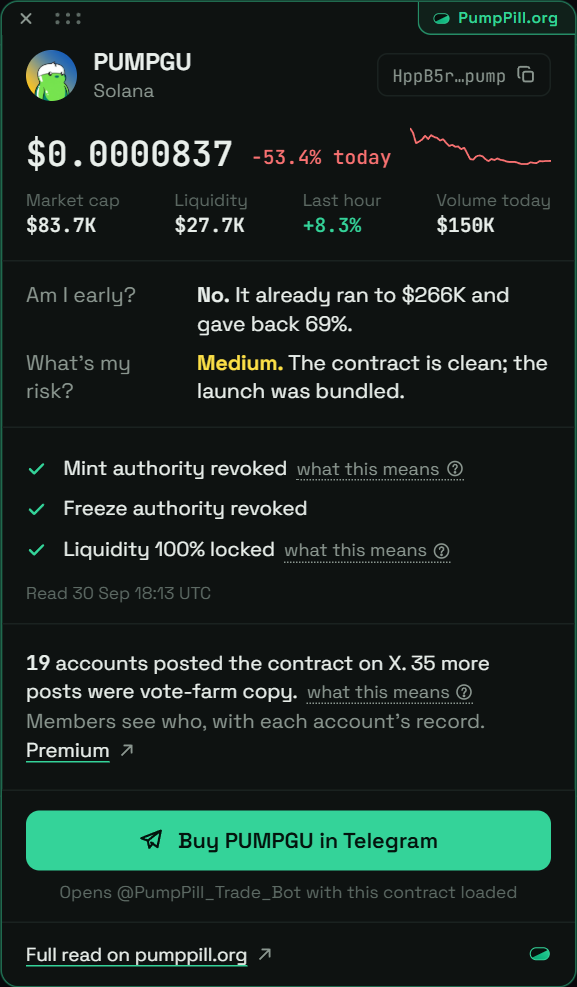
It marks what we have read
When PumpPill holds a read on a token, a small mark with its risk sits beside it before you click anything.
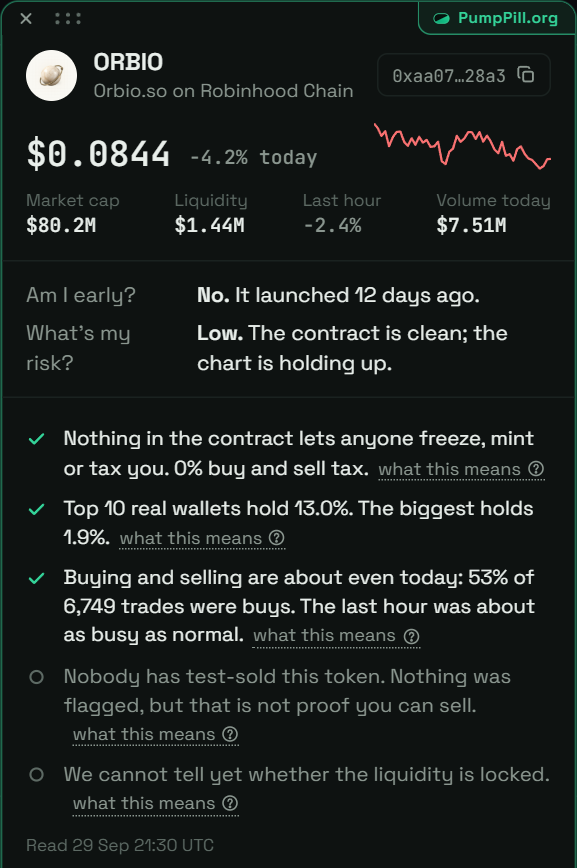
Point at it and the read opens
Early or late, who holds it, what was flagged. Drag the card anywhere; it remembers where you left it.
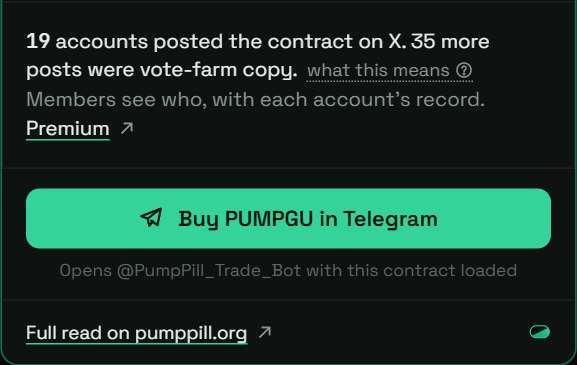
Buy sends it to the bot
On every site Lens runs on, one button opens @PumpPill_Trade_Bot with the contract loaded and your take-profits ready.
Where it works
On posts and on token pages. A bare cashtag opens the contract when one clearly leads for that ticker. When none does, you pick from a short list.
What Premium adds
The X accounts that posted the contract, with each account's record, and half the bot fee. $99 a month.